
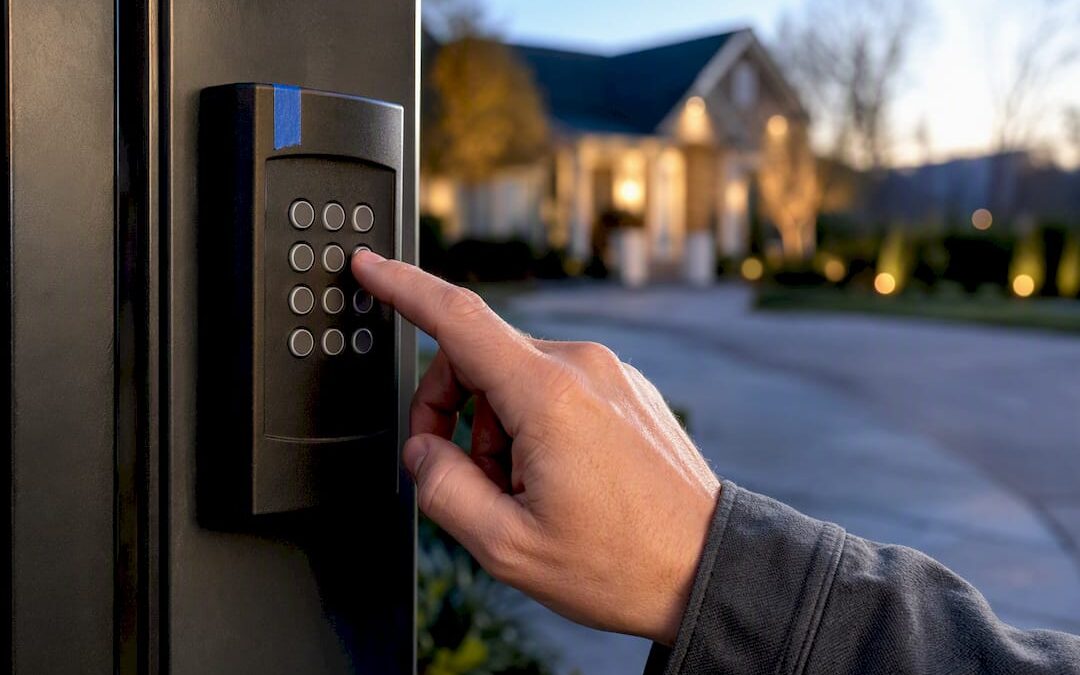
A gate keypad system uses a numeric code entered at a weatherproof reader to trigger your gate operator, making it the simplest form of electronic gate entry available today. For a single-family driveway or a small commercial lot with light traffic, a quality keypad is often the right call. For larger communities, multi-tenant properties, or sites that need audit trails, you’re usually better served by cloud-managed, fob, or mobile-credential systems. Either way, a licensed installer will save you from the wiring and compatibility mistakes that cause most callbacks.
TL;DR:
- Wired standalone keypads offer the most reliable connection for small properties since they do not rely on batteries or wireless signals.
- Cloud-enabled or networked keypads support remote management and temporary codes, ideal for HOAs and properties with frequent visitors or contractors.
- Proper installation requires site-specific considerations such as mounting height, weatherproofing, surge protection, and sealing conduit to prevent early failure.
- Using unique or temporary codes improves accountability, reducing security risks associated with shared PINs that circulate among multiple users.
- Full system costs typically range from $1,500 to $5,000, depending on hardware complexity, site wiring, and whether the install is new or retrofit.
Table of Contents
- Which Type of Gate Keypad System Fits Your Property?
- How Does a Gate Keypad System Actually Work?
- Installation and Placement Essentials: A Practical Checklist
- Managing Codes Without Losing Control of Who Gets In
- What Are the Security Limits of a Gate Keypad, and How Do You Cover Them?
- How Much Does a Gate Keypad System Cost to Install?
- What Modern Fence Company Sees in the Field
- A Note From the Field
- Get a Gate Keypad System Installed the Right Way
- Sources
- FAQ
Which Type of Gate Keypad System Fits Your Property?
Not every keypad belongs on every gate. Matching the hardware to your traffic pattern and budget prevents the two most common regrets we hear from property owners: overpaying for commercial features on a driveway gate, or underbuying for a property that outgrows a basic unit within a year.
- Wired standalone keypads connect directly to your gate operator and draw power from it. They’re the most reliable option because there’s no battery to die and no wireless signal to drop, and the wiring cost is easily justified on new gate installs where conduit is already being trenched.
- Wireless battery or RF keypads are the go-to for retrofits, since there’s no trenching required. The tradeoff is battery maintenance and a signal range that can suffer near metal fencing or dense landscaping.
- Heavy-duty commercial keypads with vandal-resistant, die-cast housings hold up on high-traffic sites like apartment complexes or loading docks where units get hit, kicked, or weathered daily.
- Networked or cloud-enabled keypads support temporary codes and remote management, which matters for HOAs and property managers juggling contractors, vendors, and guests.
How Does a Gate Keypad System Actually Work?
Every keypad system relies on the same basic chain: a reader captures the code, a controller checks it against stored credentials, and a relay sends a signal to your gate operator to open. Understanding that chain helps you ask smarter questions when comparing quotes, even though the technical verification is your installer’s job.
- The reader is the keypad itself, capturing the PIN entry and passing it to the controller.
- The controller validates the code against its stored list and, on newer systems, against a cloud database.
- Relays and outputs convert that approval into a signal your gate operator understands, typically a dry contact closure.
- The power supply runs the controller and reader, whether that’s low-voltage wiring, a transformer, or a solar-plus-battery setup for remote gates.
Most systems also integrate with fobs, cards, or mobile app credentials, and cloud-enabled units add a dashboard for remote code changes. According to one buyer’s guide to gate access control systems, pairing any of these with cameras and alarms measurably improves security outcomes. Before you sign a contract, confirm four things: trigger voltage, relay type, weather rating, and how the remote-release wiring interfaces with your specific operator brand.
Installation and Placement Essentials: A Practical Checklist
Placement decides whether a keypad gets used correctly or becomes the thing drivers curse at every morning. Get the ergonomics wrong and people start propping the gate open, which defeats the entire point of installing one.
- Mounting height should sit around 42 to 48 inches for drive-up vehicle access, low enough to reach from a car window without a stretch.
- Angle the keypad slightly toward the approach direction so sun glare doesn’t wash out the display.
- Power choices range from low-voltage wired runs to solar-plus-battery setups for gates far from a building, and either way, surge protection at the controller is not optional in areas prone to lightning.
- Conduit routing should stay buried and sealed, with tamper-resistant screws on the housing and a weather shield rated for your climate.
- A qualified installer should test the full cycle, document relay settings and code counts, and hand you a written warranty before calling the job done.
Pro Tip: Walk the site at the time of day you expect the heaviest use before committing to a mounting spot. Morning glare on an east-facing driveway can render a keypad unreadable for exactly the hour you need it most.
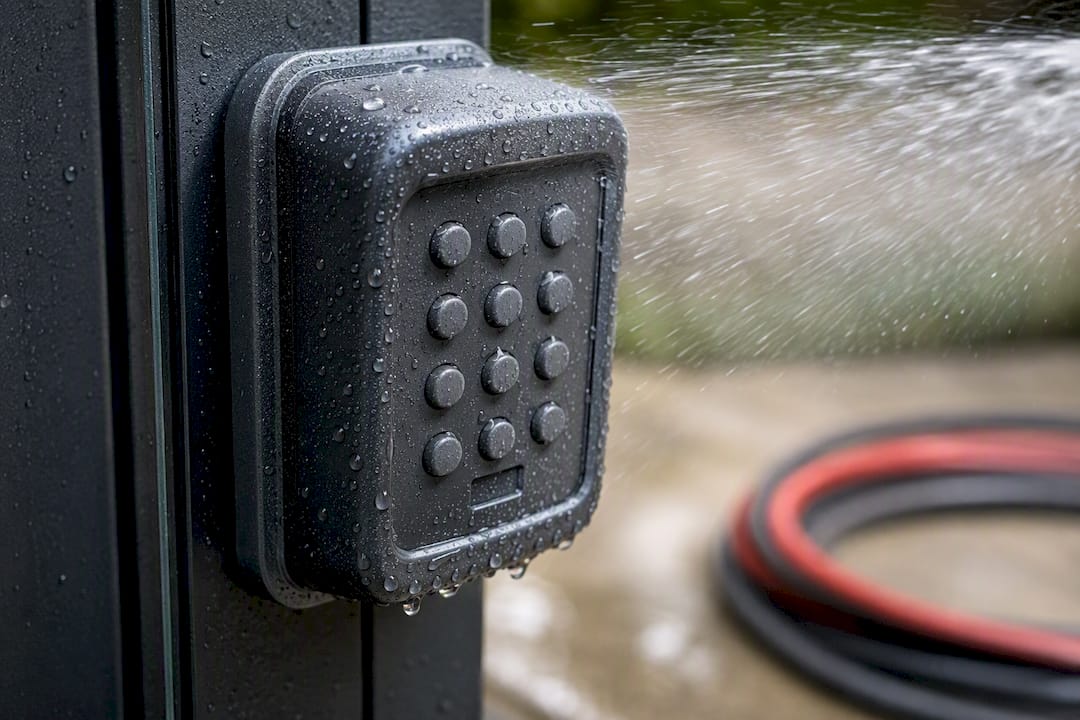
Weatherproofing details matter more than most buyers expect. Commercial-grade units built to NEMA 4 or IP65 specifications hold up to hose-down conditions and temperature swings that would degrade a bargain keypad within a couple of seasons.
Managing Codes Without Losing Control of Who Gets In
A single shared PIN is the easiest system to set up and the hardest to secure once it’s been handed out a few dozen times. Anyone who’s managed a rental property or HOA gate knows how fast one code spreads to people who were never supposed to have it.
- Shared PINs work fine for a household of four, but they create real accountability gaps once a code circulates among tenants, contractors, and delivery drivers.
- Unique PINs per user let you trace who opened the gate and when, which matters if you ever need to investigate a break-in or dispute a maintenance charge.
- Temporary and expiring codes solve the visitor problem cleanly. A landscaper gets a code that dies after their scheduled window instead of a permanent one nobody remembers to revoke.
- Cloud-based management lets a property manager add or kill a code from a phone, without a truck roll to the gate.
Industry guidance on gate access control and security makes the same point directly: unique PINs or digitally managed credentials close the accountability gap that a single shared code leaves wide open, especially on properties with turnover.
What Are the Security Limits of a Gate Keypad, and How Do You Cover Them?
A keypad is a single layer, not a full security plan. Codes leak, keypad buttons wear down and reveal frequently pressed digits, and anyone standing close enough can watch a code get entered.
- Code circulation is the biggest weakness. Once a shared PIN is out, it’s effectively public.
- Physical wear on buttons can visually hint at which digits get used most.
- Shoulder-surfing at a driveway gate is a real risk, especially at low mounting heights.
- Vandalism on unprotected housings can disable a gate entirely.
Keypads remain the lowest-cost hardware option for gate entry, but that low price comes with a corresponding lack of built-in audit logging compared to fob or cloud-based credentials.
Layer in cameras with event-triggered recording, perimeter lighting, and a bollard or secondary barrier for vehicle-heavy sites. If you need per-user accountability, that’s your signal to move toward fob, mobile-credential, or cloud-based access control instead of relying on a keypad alone.
How Much Does a Gate Keypad System Cost to Install?
Hardware alone runs from roughly $150 for a basic residential unit to several hundred dollars for a commercial-grade, vandal-resistant model with surge protection and a high code capacity. That range widens once you add weatherproof housings and remote-release accessories.
- Labor and materials cover trenching, conduit, wiring runs to the operator, and technician time, all of which scale with site complexity.
- Full installed cost for a single gate typically lands between $1,500 and $5,000, depending on distance from power, existing wiring, and whether you’re retrofitting or building new.
- Cloud or subscription fees apply if you choose networked management, usually a modest monthly charge on top of the hardware.
- Maintenance costs stay low for wired systems and slightly higher for wireless units that need periodic battery swaps.
HOA and commercial installs generally sit at the higher end of that range because of longer wiring runs and heavier-duty hardware requirements.
What Modern Fence Company Sees in the Field
Seventy-plus years of installing fences and gates across Western Arkansas and Eastern Oklahoma has shown our crews the same handful of surprises on almost every keypad job: hidden conduit that doesn’t match the site plan, a controller that isn’t rated for the existing gate operator’s trigger voltage, and a complete absence of surge suppression on properties that get hit by seasonal storms every year.
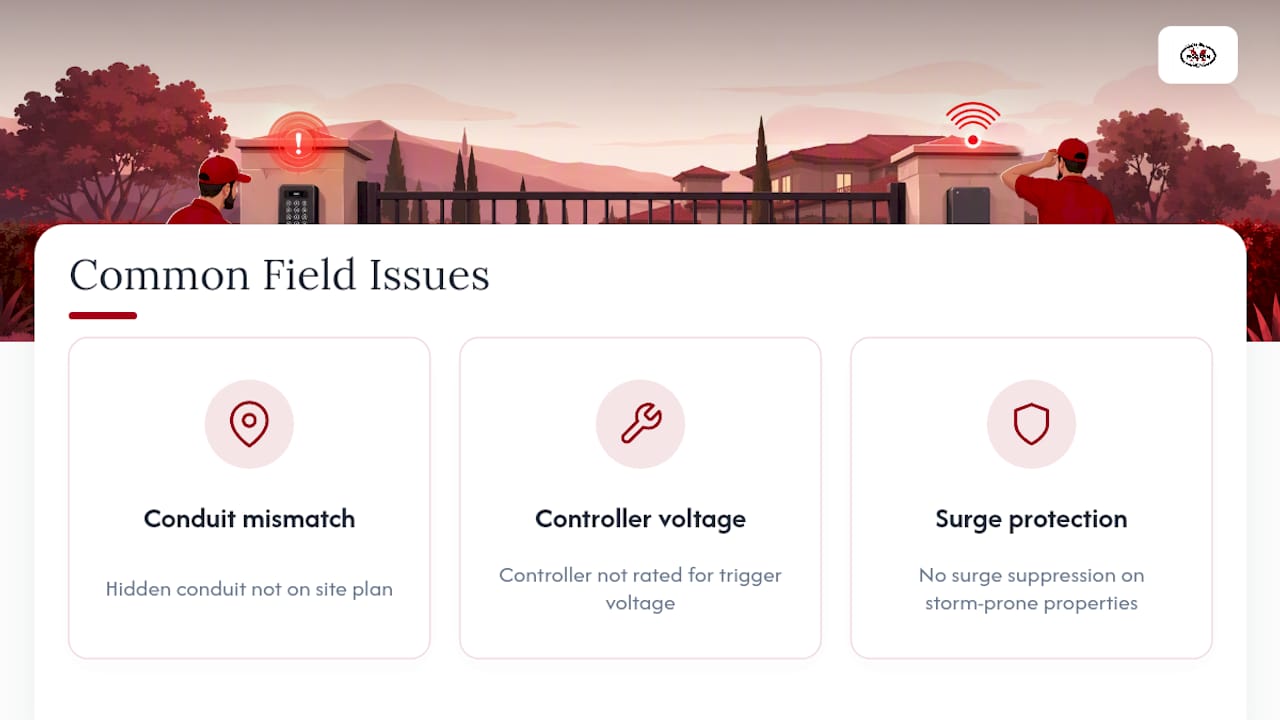
Licensed installers catch these issues before they become callbacks, because they know to verify power compatibility and seal every junction against moisture before the first test cycle. Before hiring anyone, ask five questions: What’s your license and insurance status? What warranty covers the hardware and the labor? Will you document relay settings and code capacity? How do you handle surge protection? And what’s your typical response time for service calls? A proper installation should end with a working system, a written warranty, and documentation you can hand to the next contractor if you ever need one.
A Note From the Field
Every keypad job I’ve reviewed that failed early had the same root cause: someone skipped a step to save money, usually on wiring, weatherproofing, or surge protection. A keypad is a simple device, but simple doesn’t mean forgiving. If your site has any complexity at all, get a licensed installer out for a site visit before you commit to hardware. It’s the cheapest insurance you’ll buy on this project.
— mark
Get a Gate Keypad System Installed the Right Way
You can choose a licensed, insured, local professional installer instead of guessing at DIY kits or gambling on an unverified installer, benefiting from decades of fence and gate work experience in the region.
We handle the parts that go wrong most often: site surveys that catch wiring and conduit issues before they become change orders, proper power and surge protection, integration with your existing gate operator, and ongoing maintenance if a component fails down the line. Our estimate-driven process means you get a written quote before any work starts, with licensing, insurance, and a warranty backing the install. If you’re comparing keypad, fob, or cloud options for your property, our access control services page walks through what fits different site types. Ready to move forward? Request a free estimate and we’ll schedule a site visit to spec out the right keypad or access control system for your gate.
Sources
- Complete Guide to Gate Access Control & Security Systems
- Community Gate Access Systems: A Buyer’s Guide
- Gate access control systems: Entry points for businesses
FAQ
What Is the Best Gate Intercom System?
The best intercom pairs audio or video verification with your access control method, and cloud-enabled intercoms that log every call and entry tend to offer the most accountability for multi-tenant properties.
What Is the Best Gate Opener System?
The right gate opener depends on gate weight, swing versus slide configuration, and traffic volume; a licensed installer should size the operator to your specific gate rather than picking hardware off a shelf.
What Is the Best Access Control System for Gates?
For a single-family driveway or a small commercial lot with light traffic, a quality keypad is often the right call, while larger communities and commercial sites benefit more from fob, mobile-credential, or cloud-managed systems that provide per-user audit trails.
How Do You Program a Gate Keypad?
Programming steps vary by brand and model, but most systems follow the same pattern: enter a master programming code, add or delete user PINs, then save and test the cycle. Check your specific device manual or have your installer set initial codes during the install.