

A video gate intercom gives you visual confirmation of every visitor and lets you release the gate from your phone, a keypad, or a central admin panel. The right system comes down to one decision first: how your gate connects to power and the internet. Get that right, and the rest of the selection falls into place. Schedule a licensed installer site survey before you buy anything.
Before you call vendors, confirm three things about any supplier you consider:
- UL 325 awareness: your installer must understand how intercom relay wiring integrates with gate-operator safety circuitry without defeating entrapment protection
- Licensed and insured credentials: ask for proof before the first site visit
- Cloud-service terms: read the vendor’s data-retention policy and what happens to your access logs if you cancel the subscription
A video entry system is the communication and approval layer. It is not the gate operator. The operator physically moves the gate; the intercom decides who gets permission. According to Swiftlane’s gate intercom guide, these are two separate devices with two separate scopes, and confusing them is one of the most common procurement mistakes.
Key Takeaways
A video gate intercom is a connectivity decision first and a feature decision second. Match the system type to your site’s power and network conditions, confirm UL 325-aware operator integration, and hire a licensed installer who will put the failover behavior in writing.
| Point | Details |
|---|---|
| Connectivity comes first | Choose PoE/wired for stability, cellular for remote gates, Wi-Fi only after an on-site signal test. |
| Failover behavior is non-negotiable | Confirm in writing what the system does when internet or power is lost before you purchase. |
| UL 325 protects you | Gate-operator relay wiring must preserve entrapment-protection circuits; ask for documented compliance. |
| Match vendor to use case | CellGate for remote/cellular, LiftMaster for multifamily cloud admin, Aiphone for enterprise wired, Doorking/Linear for directory entry. |
| Modernfence installs the full system | Licensed, insured crews in Western Arkansas and Eastern Oklahoma handle gate, operator, conduit, and intercom in one project. |
Table of Contents
- What type of video gate intercom fits your property?
- How do you choose the right system and installer?
- What does a professional installation actually include?
- Which brands and models should you consider?
- Modernfence brings licensed installation to Western Arkansas and Eastern Oklahoma
- What installers wish every buyer knew before the first site visit
- Sources
What type of video gate intercom fits your property?
System type is a connectivity decision, not a brand decision. Four architectures cover almost every residential and commercial scenario.
Wired PoE/IP runs an Ethernet cable from a PoE switch or injector to the intercom panel. This is the most stable option for single-family homes with conduit already in place, multifamily buildings with structured cabling, and commercial facilities where uptime is non-negotiable. No cellular plan, no Wi-Fi dead zones. The tradeoff is trenching cost when conduit does not exist.
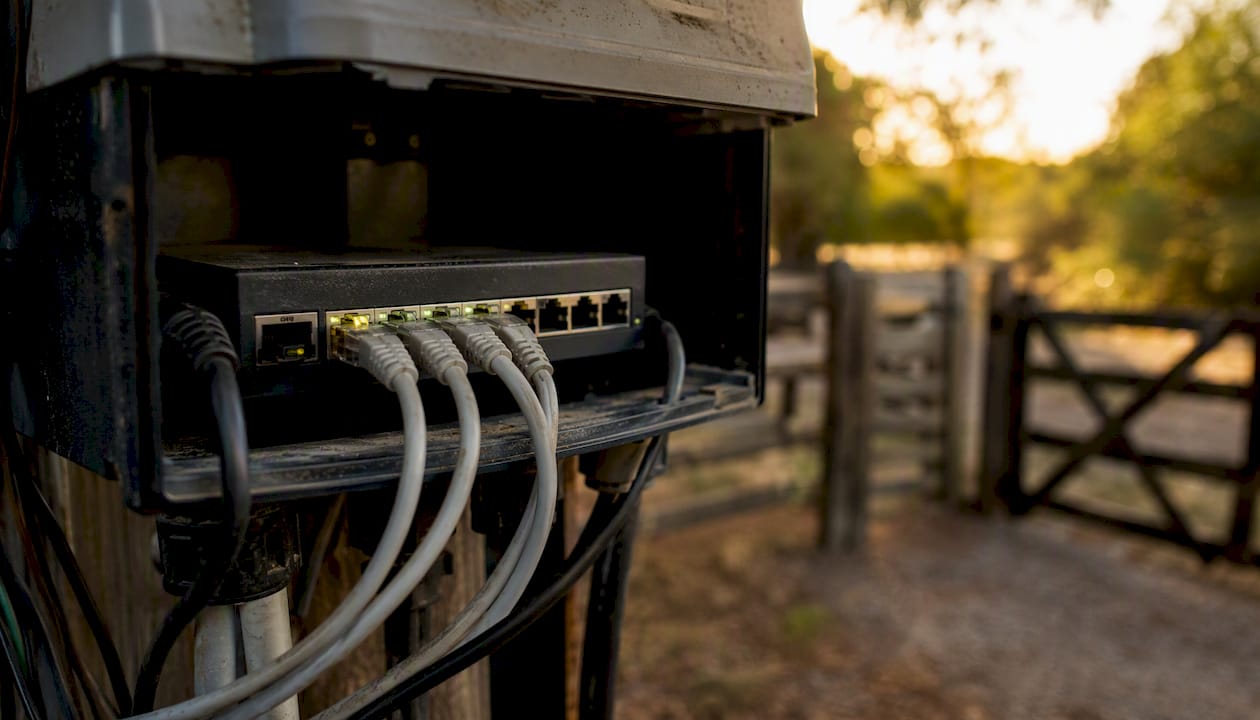
Enterprise Wi-Fi works well when a strong access point sits within range of the gate and the network is managed (not a consumer router). It carries the lowest installed hardware cost when the signal is reliable. The risk is video-stream degradation during peak network hours or after a router reboot.
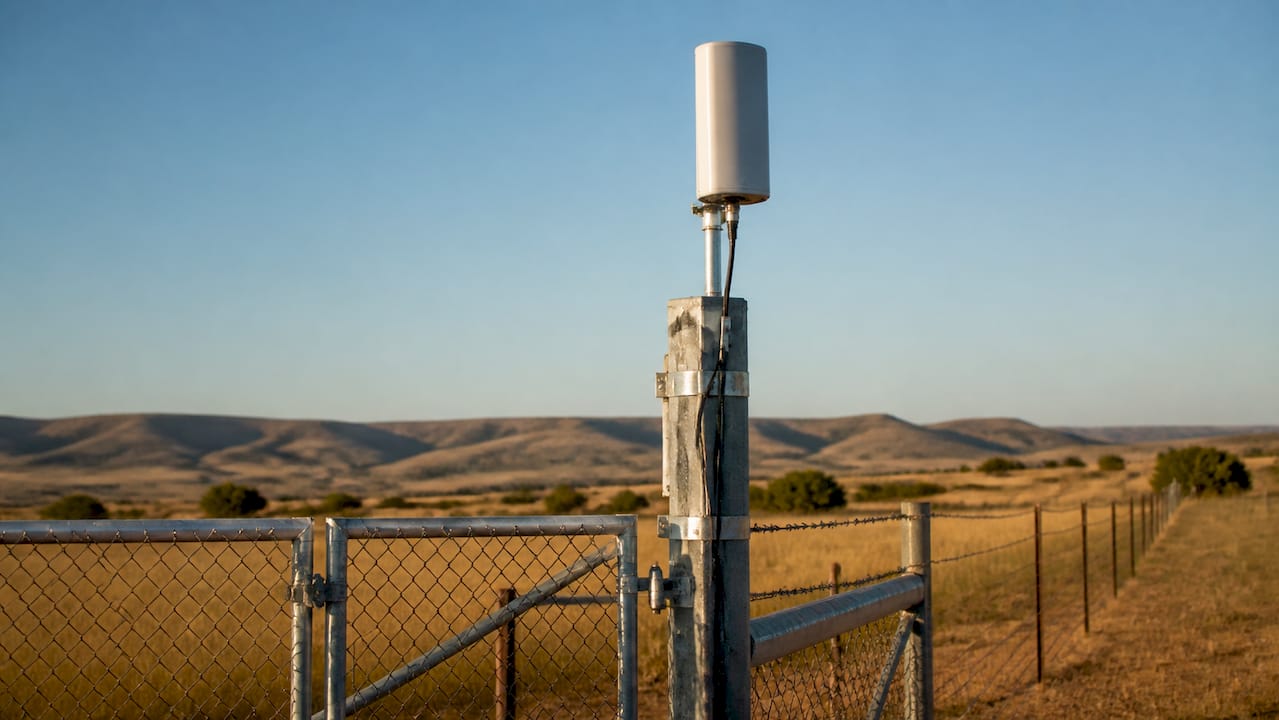
Cellular/LTE is the fastest deployment path for remote gates, rural properties, and any site where running cable is impractical. The intercom uses a SIM card and connects over LTE, so there is no dependence on your building’s internet connection. Monthly carrier costs apply, and antenna placement matters more than most buyers expect.
Hybrid designs combine a wired primary path with cellular failover. These are worth the extra cost for commercial properties and multifamily communities where a connectivity gap means residents cannot enter.
Key connectivity planning steps:
- Verify available power at the gate post (120V outlet or PoE budget from your switch)
- Confirm weatherproof enclosure ratings for your climate
- Test cellular signal at the gate location before committing to an LTE-only system
- Check whether your PoE switch or injector can supply enough wattage for a camera-equipped panel (many standard injectors fall short)
Pro Tip: Test video-streaming performance at the gate during peak hours, not just a quick smartphone ping. Measure packet loss and latency if possible. A system that streams cleanly at 2 AM may buffer badly at 5 PM when your building’s shared network is loaded. The FCC broadband map can help you verify expected cellular coverage at your address before you choose an LTE-based system.
Swiftlane’s door intercom guide recommends choosing PoE/wired when existing Ethernet can be reused, cellular when wiring is impractical, and testing Wi-Fi signal strength at each entry point before committing to a wireless system.
How do you choose the right system and installer?
Start with connectivity and failover. Then work through gate-operator integration. Vendor features come third.
Decision framework:
- What connectivity is available at the gate? (PoE, Wi-Fi, cellular, or hybrid)
- What gate operator is installed, and does the intercom’s relay output match its input voltage and logic?
- What admin workflow do you need? (mobile app, directory, visitor passes, audit logs)
What to compare across systems:
- Best fit: single-family, multifamily, or commercial
- Connectivity type and failover behavior during WAN or power outage
- Core features: HD video, two-way audio, keypad, directory, photo capture on access attempts
- Integrations: smartphone app, gate-operator compatibility, card readers, QR/PIN visitor passes
- Price range: hardware plus installation plus wiring, conduit, trenching, and permits
- Warranty coverage and cloud-service subscription terms
Realistic cost ranges vary by property size and site complexity. A single-family residential install with existing conduit typically involves hardware costs and a few hours of labor. A mid-size commercial property with new conduit, a managed PoE switch, and directory programming can cost several thousand dollars in total project cost. Large multifamily communities with multiple entry points, trenching, and permit requirements sit at the higher end. Get a written scope from your installer before signing anything.
Questions to ask every installer:
- Are you licensed and insured in this state?
- Have you integrated intercoms with this specific gate-operator brand before?
- How do you handle UL 325 safety interlock wiring?
- Who is responsible for gate-operator relay programming?
- What is your maintenance and service plan after installation?
- What are the vendor’s cloud data-retention and privacy terms?
- What happens to access if the internet goes down?
Red flags to watch for:
- An installer who cannot describe offline/failover behavior for the system they are selling
- No on-site signal test before recommending a Wi-Fi or cellular system
- Vague or missing warranty and service terms in the written proposal
- No mention of UL 325 when integrating with an automatic gate operator
For facility managers weighing perimeter access control options, the installer’s gate-operator experience matters as much as the intercom brand itself.
What does a professional installation actually include?
A licensed installer follows a defined sequence. Knowing it helps you hold them accountable and avoid surprises.
Installation sequence:
- Site survey: measure gate distance from power source, test network/cellular signal, inspect existing conduit and operator wiring
- Plan: specify PoE switch sizing, conduit routing, weatherproof enclosure placement, and cellular antenna location if needed
- Mount intercom and camera: set height per ADA guidance (the Access Board’s ADA chapter 7 covers mounting heights and tactile signage requirements for accessible entry points)
- Integrate relay to gate operator: wire the dry-contact relay output to the operator’s trigger input; verify safety interlocks remain intact
- Configure users and mobile apps: program directory, keypad codes, visitor passes, and admin accounts
- Test failover and logging: simulate a connectivity loss and confirm local codes still work; verify photo capture and audit log entries
Power and network details to confirm before installation:
- PoE switch or injector wattage budget appropriate for the camera-equipped intercoms
- Outdoor-rated enclosure IP rating appropriate for your climate
- Battery backup or UPS for the PoE switch if uptime during power outages is required
- Cellular antenna placement at least 6 feet above grade and clear of metal obstructions
UL 325 is the baseline safety standard for gate operators and entrapment protection. When an intercom relay triggers a gate operator, the wiring must not bypass or disable the operator’s required safety circuits. Ask your installer for documentation showing UL 325-aware wiring practice. An operator that moves a gate without functioning entrapment protection is a liability, regardless of how well the intercom works. See the UL 325 standard for the full scope of operator safety requirements.
Cloud-connected systems still require on-site power and correct network hardware. A cloud subscription does not substitute for a properly sized PoE switch and weatherproof enclosure. Budget for local site readiness separately from the hardware and software costs.
For properties also planning fencing or gate upgrades, reviewing gate automation trends alongside the intercom selection can prevent rework.
Which brands and models should you consider?
These profiles map vendor strengths to property types. They are not exhaustive, and your installer may recommend alternatives based on your specific gate operator and network.
LiftMaster (myQ Community platform)
Best for multifamily and commercial properties that need centralized management of multiple entry points. LiftMaster’s myQ Community platform supports live video streaming, clip storage (local or cloud), and multiple connectivity modes including Wi-Fi, wired, and cellular. The admin dashboard lets property managers control several gates from a single interface. Strong choice when you already have LiftMaster gate operators installed.
CellGate Watchman family
Built specifically for remote and rural gate applications where cellular is the primary connection. The Watchman system supports live video, photo capture on every access attempt, and dual-network connectivity (cellular LTE plus wired internet). If connectivity drops temporarily, local keypad codes continue to work and the camera still captures images. The Watchman product family also includes multiple call groups, visitor pass issuance, prop-open alerts, and cloud-based management through TrueCloud Connect. Best for single-family estates, agricultural properties, and any site where wiring to the gate is impractical.
Aiphone
The standard choice for enterprise wired deployments: hospitals, schools, office campuses, and multifamily buildings with structured cabling. Aiphone systems are known for audio clarity, long-term hardware durability, and deep integration with access-control panels. Less suited to remote or rural gates where cellular is needed.
Viking
A reliable option for commercial and light-industrial applications that need a rugged keypad-and-intercom combination without cloud dependency. Viking hardware is straightforward to integrate with most gate operators and works well in facilities that prefer on-premises control over cloud administration.
Doorking / Linear
Classic telephone-entry and keypad systems with decades of field history. Doorking and Linear products are widely supported by gate-operator technicians across the country and are a practical choice for multifamily communities that need a directory-based entry system with proven reliability. Less feature-rich on the video and mobile-app side compared to newer cloud platforms, but the installation base and technician familiarity are significant advantages.
When to choose each:
- Remote gate, no conduit: CellGate Watchman
- Multifamily with existing LiftMaster operators: LiftMaster myQ Community
- Enterprise campus with structured cabling: Aiphone
- Commercial facility preferring on-premises control: Viking or Doorking/Linear
- Budget-conscious multifamily directory entry: Doorking/Linear
For properties where the gate and fence are being specified together, a perimeter security fence assessment can inform camera placement and intercom mounting decisions before installation begins.
Modernfence brings licensed installation to Western Arkansas and Eastern Oklahoma
Choosing the right video intercom system is only half the job. The other half is a licensed installer who knows gate operators, conduit, and UL 325 wiring from field experience, not a spec sheet.
Modernfence has served residential and commercial property owners across Western Arkansas and Eastern Oklahoma for more than 70 years. The crews are licensed, insured, and experienced with access control systems alongside full fence and gate installation. That means one contractor handles the gate, the operator, the conduit, and the intercom, with no handoff gaps between trades. Custom metal fabrication capability also means mounting hardware and enclosures can be built to fit non-standard gate posts.
A Modernfence site survey covers signal testing, operator compatibility, conduit routing, and a written estimate with no obligation. For properties that also need fencing, the access control installation service is scoped alongside the fence project so everything is installed once, correctly. Call or submit a contact form to schedule your site survey and get a written scope before you commit to any hardware.
What installers wish every buyer knew before the first site visit
The most common field surprise is not a bad intercom. It is a site that was never ready for one.
Properties with older gate posts often have 2-wire legacy cabling that cannot carry PoE or IP video. Buyers assume the existing wire is reusable; installers arrive and find it is not. That discovery adds conduit and trenching to a budget that was sized for hardware only. The fix is simple: ask your installer to inspect the existing cabling during the site survey, not after the equipment arrives.
PoE power shortfalls are the second most common issue. A standard 15W PoE injector is often not enough for a camera-equipped intercom panel, especially when a heated enclosure or a second camera is added. Verify the wattage budget before the switch is purchased.
Cellular antenna placement deserves more attention than it gets. An antenna mounted low on a metal gate post, surrounded by steel fencing, will underperform. The antenna needs height and line of sight. A 10-minute antenna placement test during the site survey prevents months of intermittent connectivity complaints.
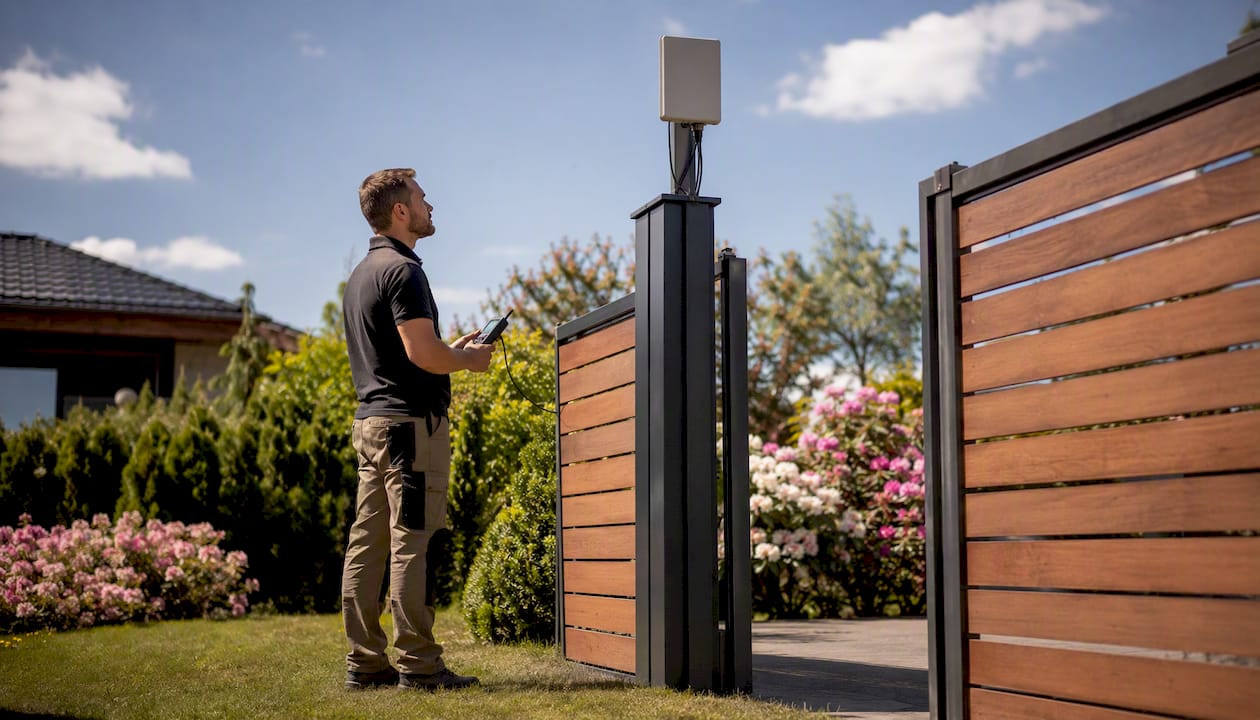
On the maintenance side: cloud-service renewals are a recurring cost that often gets forgotten after installation—watching helpful short repair videos can aid in ongoing troubleshooting and upkeep. Set a calendar reminder for the renewal date, confirm what happens to your access logs if you let the subscription lapse, and ask your installer about annual inspection visits to check weatherproofing, camera lens condition, and relay contact wear.
The practical next step is a site survey with a licensed integrator who will put the scope in writing. Modernfence provides exactly that for properties across Western Arkansas and Eastern Oklahoma. A written estimate with signal test results, operator compatibility notes, and a clear line-item breakdown is the only way to budget a gate intercom project accurately.
Sources
These references back the technical guidance in this guide. Use them to verify standards, review vendor documentation, and read deeper on specific topics.
- Gate Intercom Systems: How to Choose + Costs, Wiring, and Best Options (2026) | Swiftlane
- Watchman® Video Intercom: Gate & Door Entry System | CellGate
- CAPXLV | Smart Video Intercom – L | LiftMaster Canada
- UL 325 product page