
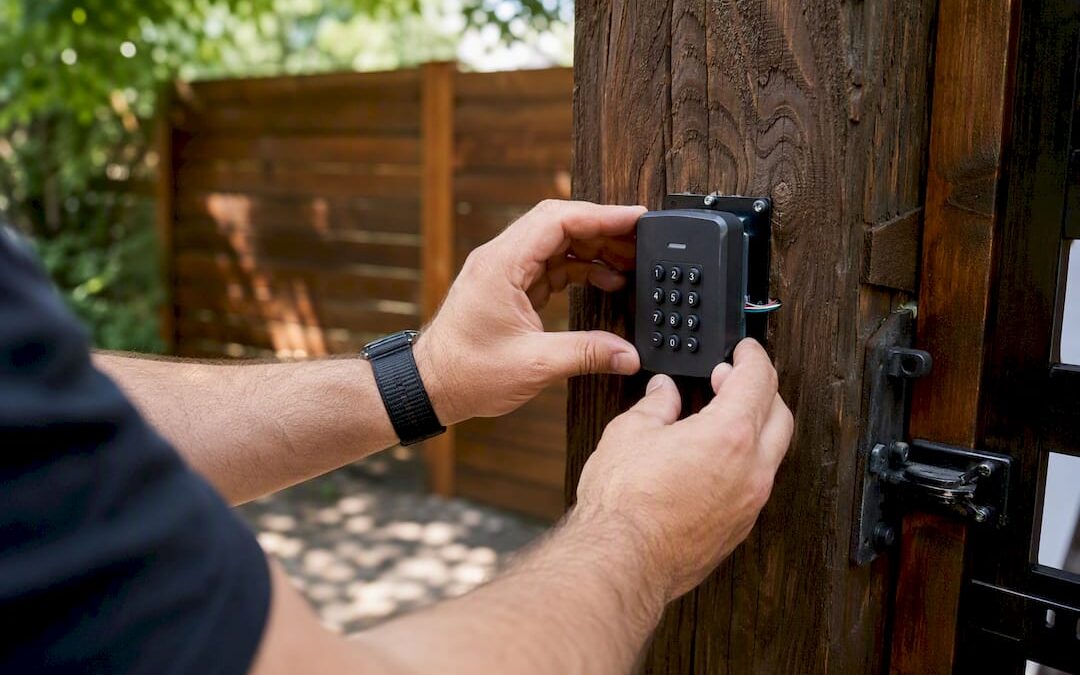
Gate access control is a system of readers, controllers, software, and a motorized gate operator that verifies who enters your property and logs every entry. Most residential and commercial properties do best with a cloud-managed, multi-credential system that supports keypads, fobs, and mobile credentials from one dashboard, because cloud platforms handle diverse user types while cutting the administrative load of managing separate systems.
Before you call anyone for a quote, do three things:
- Map every entry point on your property, including pedestrian gates, delivery access, and emergency lanes.
- List your user types — residents, employees, vendors, contractors, delivery drivers, and occasional visitors all behave differently at a gate.
- Request a site survey from a licensed installer who can evaluate power access, gate condition, and sightlines before recommending hardware.
That last step matters more than most buyers realize. A gate access quote built without a site visit is a guess, not an estimate.
Key Takeaways
A cloud-managed, multi-credential gate access control system reduces administrative overhead and unauthorized entries more effectively than legacy on-site controllers or basic gate openers.
| Point | Details |
|---|---|
| Start with a site survey | Map entry points, user types, and power access before requesting quotes. |
| Match gate type to method | Swing, slide, bi-fold, and barrier gates each support different readers and traffic volumes. |
| Budget realistically | Expect $1,500 to $4,000 or more per entry point plus any recurring software fees. |
| Confirm safety compliance | Ask installers which UL 325 class applies and verify entrapment protection is tested. |
| Work with a licensed installer | Modernfence brings over 70 years of licensed, insured experience across fencing and access control in Western Arkansas and Eastern Oklahoma. |
Table of Contents
- What Is a Gate Access Control System?
- What Components Show Up on a Gate Access Quote?
- Which Gate Type Fits Your Property?
- What Are the Access Methods and Their Tradeoffs?
- Should You Choose Wired or Wireless Connectivity?
- What Does Gate Access Control Cost?
- How Do You Choose the Right System for Your Property?
- What Happens During Installation and Ongoing Maintenance?
- Where Do Advanced Features Actually Pay Off?
- What Security and Operational Benefits Should You Expect?
- Why Work With a Licensed Gate Installer?
- What Standards and Compliance Rules Apply?
- What Common Problems Should You Expect?
- How Should You Handle Access Data and Privacy?
- How Do You Keep the System Reliable During a Power Outage?
- What Actually Matters Once You Cut Through the Marketing
- Get a Gate Access Control System Built for Your Property
- Sources
What Is a Gate Access Control System?
A gate access control system is the full stack that decides who gets through your gate and keeps a record of it: credential readers, a controller that makes the go/no-go decision, management software, and the gate operator itself, which is the motor that actually swings, slides, or lifts the gate. That’s a different animal from a basic gate opener, which just moves the gate on command with no memory of who triggered it and no way to tell one person’s access from another’s.
You need real access control, not just automation, the moment more than one type of person needs to get through your gate. A single-family home with one remote might be fine with a simple opener. A gated community, an apartment complex, or a commercial yard with employees, vendors, and visitors needs something that can:
- Issue and revoke credentials individually, without rekeying the whole property
- Keep a real-time audit log of every entry and exit
- Handle temporary or one-time access for guests and delivery drivers
- Separate permission levels (a resident vs. a landscaping crew, for example)
Cloud-managed multi-credential platforms fit most commercial and multi-tenant properties precisely because they solve all four of these at once, from a browser or phone, without a technician driving out to reprogram a box on the wall.
What Components Show Up on a Gate Access Quote?
Every gate access control quote breaks down into four categories, and understanding what drives cost in each one helps you compare bids that otherwise look wildly different on paper.
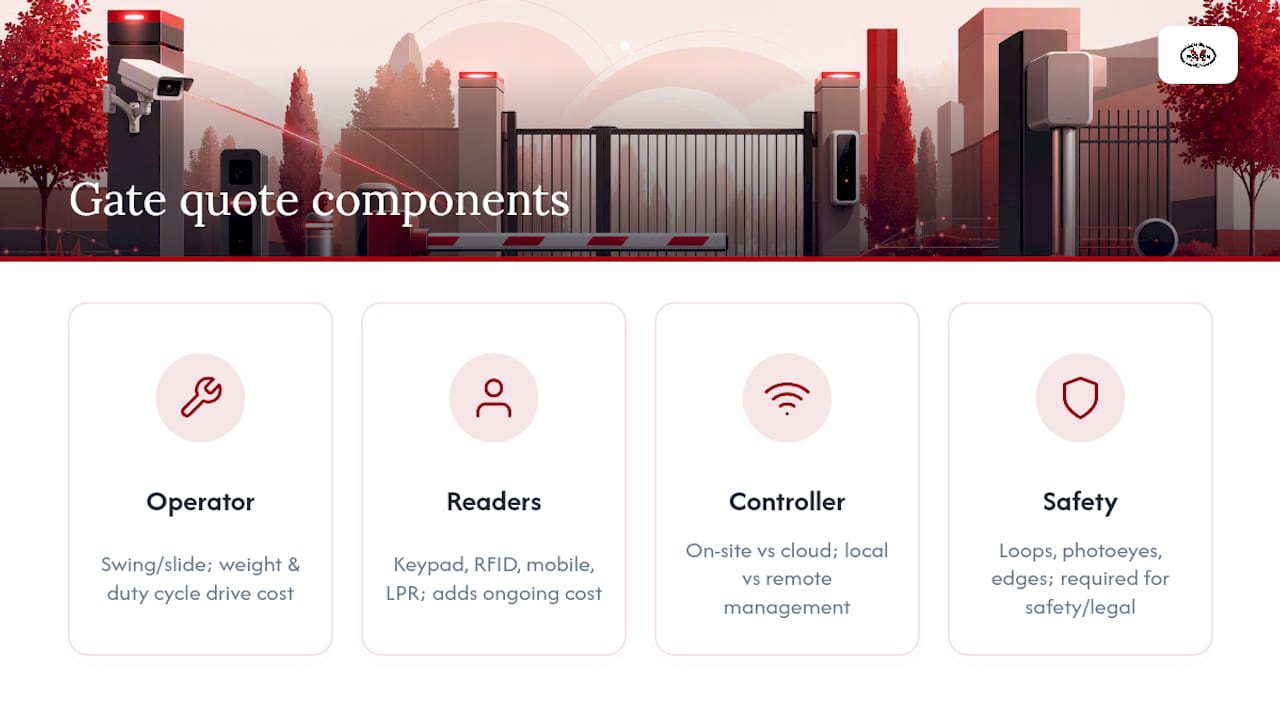
The gate operator is the motor. Swing and slide gates use different operator types, and the right one depends on gate weight, frequency of use, and duty cycle, which is how much continuous operation the motor is rated to handle without overheating. A gate that opens 200 times a day at a commercial site needs a heavier duty cycle than a residential driveway gate opening four times.
Readers are how people identify themselves: keypads for PIN entry, RFID readers for fobs and cards, mobile credential readers that talk to a phone app, or license plate recognition (LPR) cameras for vehicle-only sites. Each reader type adds its own line item and its own ongoing cost.
The controller is the decision-maker, either a physical box on-site or a cloud-managed platform. On-site controllers keep everything local but require a technician visit for most changes. Cloud platforms let you add or remove a user from your phone, and they log every event automatically, which matters if you ever need to investigate an incident.
Finally, safety and detection hardware: vehicle loops, photoeyes, and safety edges that stop the gate from closing on a car or a person. These aren’t optional add-ons. They’re what keeps your gate legal and your liability low.
Pro Tip: Ask every installer to itemize the controller and software separately from the hardware. Some quotes bundle a cheap on-site controller with an expensive service contract to hide the real long-term cost.
Which Gate Type Fits Your Property?
Gate mechanics decide which access-control hardware will even work, so this comes before you pick a reader or a controller. Get the mechanics wrong and you’ll be retrofitting expensive equipment onto a gate that was never built to support it.
Swing gates work well where you have room for the gate to arc open, typically flat ground with no slope interference. They suit residential driveways and low-traffic commercial entries. Space is the constraint: a swing gate needs clearance equal to its own length on the swing side, which rules it out for tight urban lots or steep driveways.
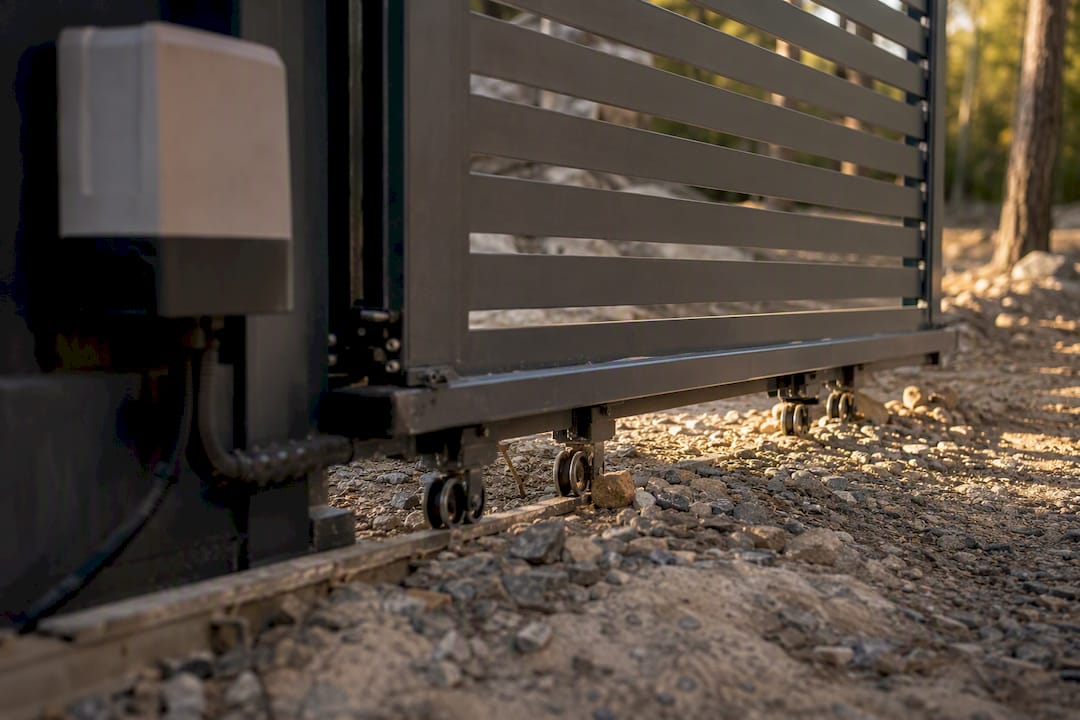
Slide gates solve the space problem by running along a track or, in cantilever designs, rolling on rollers without a ground track at all. Cantilever sliding gates are the better pick for LPR installations because the gate itself doesn’t obstruct the camera’s view of the approaching vehicle the way a ground track and support post sometimes can. They also handle uneven ground better than track-mounted slides, which need a level surface to run properly.
Bi-fold gates and barrier arms exist for one reason: throughput and footprint. A bi-fold folds in half as it opens, needing roughly half the clearance of a standard swing gate, which makes it a fit for tight commercial entrances. Barrier arms, the kind you see at parking garages, open and close in under two seconds and are built for high-volume vehicle counts rather than security against pedestrians.
Speaking of pedestrians, don’t let vehicle planning absorb your whole budget. Separate pedestrian gates need their own access method and often a lighter-duty operator, and skipping this planning step is a common reason foot traffic ends up propping the vehicle gate open, which defeats the entire system.
What Are the Access Methods and Their Tradeoffs?
Every access method trades cost against security and convenience differently, and most properties end up using two or three of them together rather than one.
- Keypad/PIN entry costs the least to install and requires no card or fob inventory. The tradeoff is shared codes: once a PIN circulates among tenants or gets texted to a delivery driver, you lose the ability to tell who actually used it. Rotating codes on a schedule mitigates this but adds administrative work unless your platform automates it.
- RFID fobs and cards identify individual users and cost roughly a few dollars each to replace when lost. Low-frequency (LF) fobs are cheaper and older technology; high-frequency (HF) cards support encryption and are harder to clone, which matters more for commercial sites than for a residential gated street.
- Mobile credentials let you issue and revoke access instantly from a phone, no physical hardware to hand out or collect. The catch is dependency: if a resident’s phone dies or a visitor doesn’t have the app installed, they’re stuck without a backup method.
- Intercom and video systems let staff or residents visually verify a visitor before granting entry, and modern video intercoms support QR codes or time-limited PINs for one-time deliveries or guest access, which solves the “who let this stranger in” problem better than any keypad can.
- License plate recognition (LPR) reads plates automatically for drive-through convenience, but accuracy depends heavily on approach speed, lighting, and camera angle, meaning a poorly planned installation produces false reads more often than a well-planned one.
Roughly 1,500 to 4,000 dollars or more per entry point is the typical range once you combine hardware and installation, with LPR and enterprise setups commonly starting higher.
Should You Choose Wired or Wireless Connectivity?
The connectivity decision behind your gate access control system affects reliability and lifetime cost as much as the reader you choose out front.
Wired connections using Power over Ethernet (PoE) remain the gold standard for reliability. A single cable carries both power and data to the reader or controller, cutting latency and eliminating the interference issues that can plague wireless setups. The downside is trenching cost, especially on properties where the gate sits far from the nearest electrical panel.
Wireless options solve that distance problem. Wi-Fi works for gates within range of an existing network. Cellular connectivity, which uses a data plan similar to a cell phone’s, works for remote sites with no nearby infrastructure at all, a common scenario for rural gates, storage facilities, or the far corner of a commercial lot. Bluetooth handles short-range mobile credential handoffs but isn’t a real option for the gate’s core connectivity.
Power delivery deserves equal attention. Options include:
- Solar panels with battery backup, common for remote gates without easy grid access
- Battery backup systems that keep a gate operational during a grid outage, critical for emergency vehicle access
- Generator hookups for larger commercial sites where downtime isn’t acceptable
If you go wireless, security hardening isn’t optional. A cellular-connected controller with weak credentials or an unencrypted connection is an open door, so ask your installer whether the platform uses a VPN or encrypted cellular data and whether default passwords get changed during setup.
What Does Gate Access Control Cost?
Cost breaks into three buckets: equipment and installation, recurring software fees, and ongoing maintenance, and comparing quotes without separating these three is how buyers end up surprised a year in.
For equipment and installation, expect $1,500 to $4,000 or more per entry point for a standard setup. A basic keypad-and-fob system sits at the lower end of that range. Add a video intercom and you’re paying more for the camera, monitor, and wiring. A full cloud-managed, multi-credential platform costs more upfront but spreads that cost across easier long-term management. LPR systems tend to start at the higher end because of the camera and lighting requirements alone.
Monthly software fees apply to cloud-managed platforms and cover credential hosting, remote management, and audit log storage. This is the tradeoff you accept for not needing a technician visit every time you add a tenant. On-site controllers skip this fee but push the labor cost back onto every future change.
Recurring maintenance includes motor servicing, battery replacement for battery backup units, and periodic fob or card replacement as they wear out or get lost.
When comparing quotes side by side, look past the bottom-line number. Ask about response times for service calls, what the warranty actually covers versus what it excludes, and whether “installation” in the quote includes electrical work, trenching, or just mounting the hardware.
How Do You Choose the Right System for Your Property?
Work through this in order, because each step narrows your options for the next one.
- Map your user types first, not your budget. The right system depends on who’s actually using the gate before it depends on what you’re willing to spend. A property built only for employee badges creates friction the day a delivery driver or contractor shows up needing access.
- Decide your must-have features. Do you need visitor management? Multi-site oversight if you manage more than one property? A full audit trail for insurance or liability reasons? Answer these before you set a budget ceiling, or you’ll end up cutting the feature you actually needed.
- Check integration requirements. If you run a property management system (PMS), existing security cameras, or an alarm system, ask every vendor directly whether their platform integrates with what you already have, and get the answer in writing.
- Watch for red flags during vendor conversations. No offer of a site visit before quoting, no written warranty, or vague answers about training and ongoing support are all signs to walk away.
Pro Tip: Ask a prospective installer how permission changes get made, say, revoking a former employee’s access. If the answer involves scheduling a technician visit instead of a few taps in an app, you’re looking at a legacy system dressed up as modern access control.
What Happens During Installation and Ongoing Maintenance?
A proper installation starts with a site survey, not a sales pitch. A thorough survey checks power availability at the gate location, the condition of the existing gate and posts if you’re retrofitting, camera sightlines if you’re adding video or LPR, and how vehicle and pedestrian traffic actually moves through the site during peak hours.
From there, a typical timeline runs from initial survey to final testing over one to three weeks depending on scope, with civil work like trenching or concrete footings adding time on larger commercial jobs.
Safety compliance isn’t a paperwork exercise. Entrapment protection, meaning sensors and safety edges that stop a gate from closing on a vehicle or person, has to be tested and functioning before the gate goes into daily use. Warning signage at the gate is a standard requirement, not an optional extra.
Maintenance afterward should follow a set cadence:
- Motor and hinge inspection every six months for high-traffic gates
- Battery backup testing at least annually
- Safety edge and photoeye function checks during every service visit
A written service contract should spell out exactly what’s included in each visit, not just “maintenance as needed.”
Where Do Advanced Features Actually Pay Off?
LPR and AI-powered vision systems sound impressive in a sales demo, but their real-world performance depends entirely on setup details most buyers never think to ask about. Camera angle, lighting consistency, and vehicle approach speed all affect read accuracy, and getting these wrong turns an expensive feature into a source of constant false rejections.
Cloud multi-credential platforms earn their keep fastest at high-turnover properties, apartment complexes, self-storage facilities, and commercial parks where tenants and contractors come and go regularly. The ability to issue and kill a credential instantly, without a truck roll, is where the software fee pays for itself.
APIs matter more than most buyers realize going in. A gate system that connects to your visitor management platform or HR software automates the tedious part of provisioning and deprovisioning access.
Pro Tip: Pilot LPR on one entry point before rolling it across a multi-gate property. A vendor pushing full-site LPR without offering a test phase first is a sign they haven’t accounted for your site’s specific lighting and traffic conditions.
What Security and Operational Benefits Should You Expect?
A properly specified gate access control system pays off in three concrete ways.
First, fewer unauthorized entries and better incident investigation. Research on gated versus non-gated communities shows perimeter controls measurably affect burglary patterns, and a real-time audit log turns “we think someone got in around 2 a.m.” into a verifiable record with a timestamp and credential ID.
Second, less friction for the people managing the property day to day. Remote management and temporary codes mean you’re not driving to the site to let in a delivery or troubleshoot a stuck gate.
Third, savings that show up over years rather than months: fewer rekeying jobs when a tenant moves out, fewer manual gate operations by staff, and fewer service calls tied to a legacy controller nobody remembers how to program. These add up alongside the security fencing that often runs alongside your gate.
Why Work With a Licensed Gate Installer?
Gate access control involves live electrical work, motorized hardware capable of causing injury, and safety systems that have to function correctly every time. That’s not a project for guesswork.
Modernfence has operated in Western Arkansas and Eastern Oklahoma for more than 70 years, offering licensed and insured installation across a full portfolio: wood, chain link, iron, and vinyl fencing, gate automation, access control systems, and custom metal fabrication. That range matters because your gate doesn’t exist in isolation. It’s part of a perimeter that includes the fence line, the posts, and the surrounding hardware, and a contractor who handles all of it can spot problems a gate-only installer might miss.
What to expect from a professional engagement:
- A site survey before any estimate is written
- A written estimate that itemizes hardware, labor, and any electrical or civil work separately
- A warranty on both hardware and workmanship
- Maintenance options you can schedule on a set cadence rather than calling only when something breaks
Here’s how those pieces typically compare across a project:
| Stage | What It Covers |
|---|---|
| Site survey | Power access, gate condition, sightlines, and traffic flow assessment |
| Written estimate | Itemized hardware, labor, and any civil or electrical work |
| Installation | Operator mounting, reader setup, safety testing, and signage |
| Maintenance plan | Scheduled inspections, battery checks, and safety edge testing |
What Standards and Compliance Rules Apply?
Gate operators sold and installed in the United States are expected to meet UL 325, the safety standard covering entrapment protection for automated gate operators. UL 325 requires specific safeguards, including monitored entrapment protection devices like photoeyes or safety edges, depending on the gate type and class.
Gates are classified by use, ranging from Class I for residential use to Class IV for high-security industrial or restricted-access sites, and each class carries different requirements for the strength and redundancy of its safety systems. A residential swing gate at a single-family home doesn’t need the same entrapment protection layers as a commercial slide gate seeing hundreds of daily cycles.
Beyond UL 325, ASTM F2200 covers the structural and performance standards for the fence and gate hardware itself, separate from the operator’s safety systems. Local building codes may layer additional requirements on top of these, particularly around permit requirements for electrical work or setback distances from property lines.
None of this is optional paperwork. An installer who can’t speak to which UL 325 class your gate falls under, or who shrugs off entrapment protection testing as unnecessary, is not someone who should be doing electrical work on a motorized gate. Ask directly during your site survey which standards apply to your specific gate type and get the answer in writing as part of your estimate.
What Common Problems Should You Expect?
Most gate access control headaches trace back to a handful of recurring issues, and knowing them in advance saves a lot of frustrated troubleshooting later.
Credential conflicts top the list, usually a shared PIN that’s circulated beyond the people it was meant for, or a fob that was never deactivated after a tenant moved out. The fix is procedural as much as technical: build a habit of auditing your active credential list quarterly, not just when something goes wrong.
False triggers on safety sensors happen when photoeyes get misaligned after a gate takes a minor impact, or when a vehicle loop detector drifts out of calibration. A gate that suddenly stops closing partway through, or reverses for no obvious reason, is almost always a sensor alignment issue rather than a motor problem.
Connectivity drops affect cellular and Wi-Fi-connected systems more than wired ones, particularly at remote sites where signal strength varies with weather or foliage growth blocking a line of sight to a cell tower.
Weather-related wear shows up as hinge stiffness in cold climates or motor strain from gates that have shifted slightly on their tracks due to ground settling. Track-mounted slide gates are especially sensitive to this since even a small amount of settling throws off the alignment.
When something isn’t working, check the simple explanations first: power supply, sensor alignment, and credential status account for the overwhelming majority of service calls before you get anywhere near a hardware failure.
How Should You Handle Access Data and Privacy?
A cloud-managed gate system generates a running log of who entered, when, and often with which credential, and that data carries real privacy weight, particularly at residential properties where the “who” is a person’s neighbor rather than an anonymous employee badge number.
Start by asking your platform provider where audit log data is stored and for how long. Some platforms retain entry logs indefinitely by default, which may exceed what you actually need for security or insurance purposes. A retention policy of 90 days to a year covers most practical investigation needs without accumulating years of movement data on residents or staff.
Access to the audit log itself should be restricted to property managers or designated staff, not open to every resident or tenant with an app login. If your system supports role-based permissions, meaning different users see different levels of detail, use them. A tenant checking their own entry history is reasonable; a tenant browsing every neighbor’s comings and goings is not.
LPR systems raise an additional layer of concern since license plates can be tied to individual identities more easily than a generic fob number. If you’re running LPR, confirm with your installer whether plate data is stored as raw images, hashed identifiers, or discarded after a match, and choose the option that keeps only what you actually need for security purposes.
Finally, if your property sits in a jurisdiction with specific data protection requirements for surveillance or biometric data, confirm your chosen platform complies before signing a contract, not after.
How Do You Keep the System Reliable During a Power Outage?
A gate that fails during a power outage is a security gap and, in an emergency, a physical hazard blocking first responders. Reliability planning has to account for this from the start, not as an afterthought once the system is installed.
Battery backup is the baseline expectation for any gate access control installation. Most systems include a backup battery that keeps the controller and reader functioning for a set period after grid power drops, though the exact runtime varies by hardware and how heavily the gate cycles during that window.
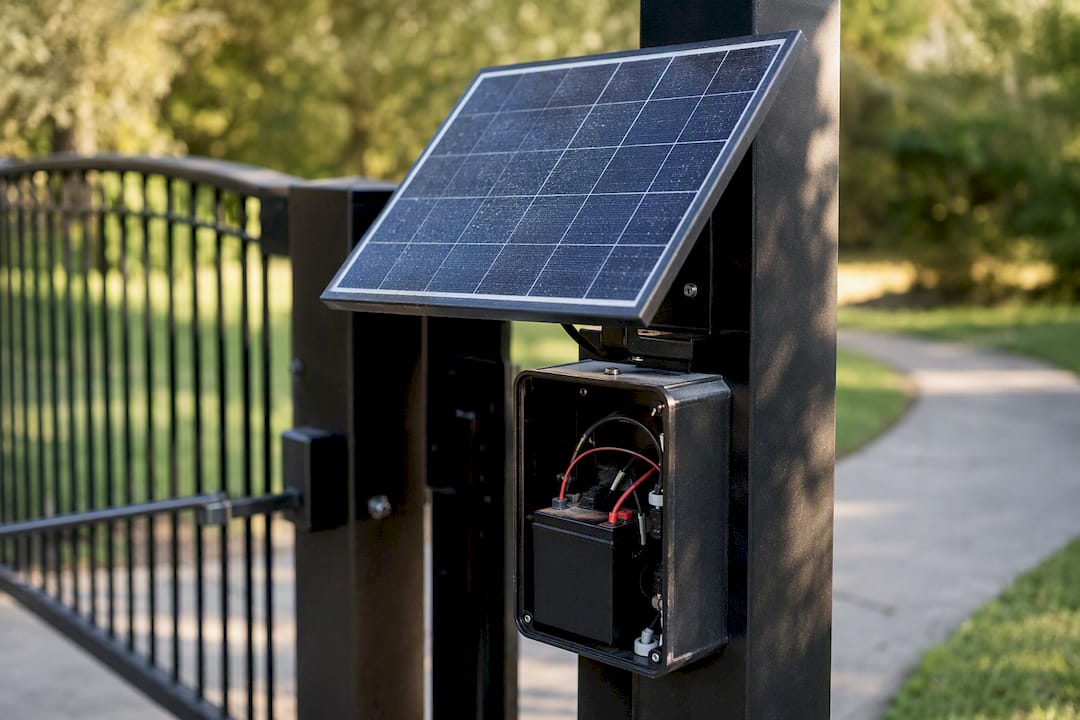
Solar power works well for remote gates far from existing electrical service, pairing a solar panel with a battery bank sized for the gate’s typical daily cycle count plus a buffer for cloudy stretches. This setup avoids trenching costs entirely for sites where running conduit would be expensive or impractical.
Generator backup suits larger commercial properties where an extended outage isn’t acceptable, particularly sites with high daily gate cycles or a legal obligation to maintain access for emergency vehicles at all times.
Whatever backup method you choose, test it on a schedule rather than assuming it works. A battery that hasn’t held a charge in eight months does you no good the one time the power actually goes out, which is exactly why an annual test belongs in every maintenance contract.
What Actually Matters Once You Cut Through the Marketing
Most gate access control content sells features. Fewer people talk about the site survey, and that’s backward, because a system chosen before anyone measures your gate’s power access, traffic pattern, and user mix is a system chosen wrong, no matter how good the reader hardware is.
The conventional advice tells buyers to start with a features checklist: get LPR, get mobile credentials, get the cloud dashboard. That advice skips the harder question of who is actually walking or driving through your gate every day. A property with three tenant types needs a different system than one with a single homeowner and occasional guests, and no amount of advanced hardware fixes a system built around the wrong assumption about its users.
If there’s one thing worth prioritizing above all else, it’s this: find an installer willing to walk your property before quoting anything. Lifecycle cost, the credential replacements, the maintenance visits, the software fees over five years, matters more than the sticker price on day one. A cheaper system that needs constant manual intervention costs more in the long run than a properly specified one that doesn’t.
— mark
Get a Gate Access Control System Built for Your Property
Modernfence gives property owners a single point of contact for the whole perimeter, not just the gate. Instead of coordinating a fence contractor, a gate specialist, and a separate access-control vendor, you get one licensed and insured team handling the fence line, the gate operator, and the access control hardware together, backed by more than 70 years of local operating history in Western Arkansas and Eastern Oklahoma.
That matters most when your gate is going into an existing fence, or when you’re planning security fencing and gate access control as one connected project rather than two separate purchases. A team that installs both knows how the gate hardware, post spacing, and fence line need to work together from day one, instead of discovering a conflict after the fence crew has already left the site.
If you’re ready to move past research and get a real number for your property, request a site survey and get a written estimate that covers your gate, your fencing, and the access control system together.
Sources
- Commercial Gate Entry Systems: The Complete 2026 Buyer’s Guide | Swiftlane
- Automated gate systems enhance security & efficiency today | Terminal Industries
- Burglary in gated and non-gated communities | Crime and Justice Research Alliance
- How to Choose Commercial and Residential Gate Access Control Systems | Intercoms Online